19. Durability & Item Repair
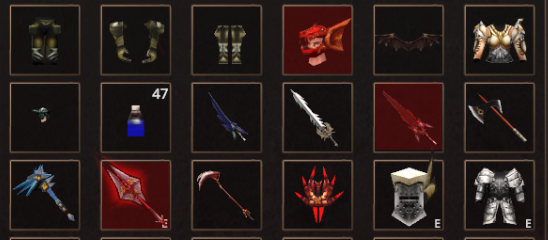
Durability represents the current condition of an item, displayed in the format Current / Max.
Durability values vary depending on item type and decrease through usage — such as combat, being attacked, or, for certain item types, simply the passage of time.
As Durability decreases, the item's performance will also decline accordingly.
| Durability | Status | Effects |
|---|---|---|
| Below 50% | Warning | Item stats reduced to 50% |
| Below 25% | Critical | Item stats reduced to 25% |
| At 0 | Broken | Item stats reduced to 0% |
Note: In the Warning and Critical states, Attack Speed is not reduced. However, once Durability reaches 0, Attack Speed will also be reduced to 0.
Durability Decrease
Durability decreases differently depending on item type:
| Item Type | Decreases Durability |
|---|---|
| Weapon | Decreases upon attacking |
| Armor / Accessory | Decreases upon taking damage |
| Wing | Decreases over time while online |
For Wings, Durability decreases by 1 point every 1 hour while online, regardless of whether the player is in a Safe Zone or Battle Zone.
Item Repair
Players can repair items to restore Durability using Zen as the repair cost.
Items can be repaired in two ways:
| Repair Method | Details |
|---|---|
| Repair via Inventory | Repaired using the Hammer icon in the Inventory window (character must be Level 50 or above) |
| Repair via NPC Blacksmith Hanzo | Repaired through NPC Blacksmith Hanzo in Lorencia (no level requirement) |
Repair Flow
- Click the Hammer icon

-
The cursor will change to a Hammer icon
-
Hover over the item to view its Durability and Repair Cost
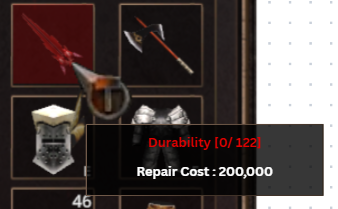
- Click the item to repair it
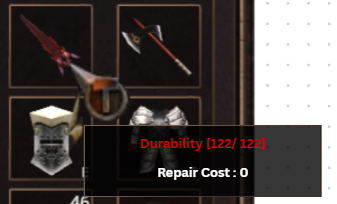
Repair Cost
The repair cost depends on the item's base value and the amount of Durability lost.
Items with higher value will have a higher repair cost than lower-value items with the same amount of Durability lost.
If repaired via NPC Blacksmith Hanzo, the repair cost will automatically be calculated at 50% of the standard formula.